1
2
3
4
5
6
7
8
9
10
11
12
13
14
15
16
17
18
19
20
21
22
23
24
25
26
27
28
29
30
31
32
33
34
35
36
37
38
39
40
41
42
43
44
45
46
47
48
49
50
51
52
53
54
55
56
57
58
59
60
61
62
63
64
65
66
67
68
69
70
71
72
73
74
75
76
77
78
79
80
81
82
83
84
85
86
87
88
89
90
91
92
93
94
95
96
97
98
99
100
101
102
103
104
105
106
107
108
109
110
111
112
113
114
115
116
117
118
119
120
121
122
123
124
125
126
127
128
129
130
131
132
133
134
135
136
137
138
139
140
141
142
143
144
145
146
147
148
149
150
151
152
153
154
155
156
157
158
159
160
161
162
163
164
165
166
167
168
169
170
171
172
173
174
175
176
177
178
179
180
181
182
183
184
185
186
187
188
189
190
191
192
193
194
195
196
197
198
199
200
201
202
203
204
205
206
207
208
209
210
211
212
213
214
215
216
217
218
219
220
|
public class Framers extends JFrame implements ActionListener, KeyListener {
JTextArea t1;
JButton but1, but2, but3, but4, but5, but6;
JComboBox looks;
JTextField lo;
JLabel lbl1, lbl2, lbl3;
public Framers(String title) {
super(title);
this.setSize(1000, 600);
this.setFont(new Font("System", Font.PLAIN, 14));
Font f = this.getFont();
FontMetrics fm = this.getFontMetrics(f);
int x = fm.stringWidth(title);
int y = fm.stringWidth(" ");
int z = this.getWidth() / 2 - (x / 2);
int w = z / y;
String pad = " ";
pad = String.format("%" + w + "s", pad);
this.setTitle(pad + title);
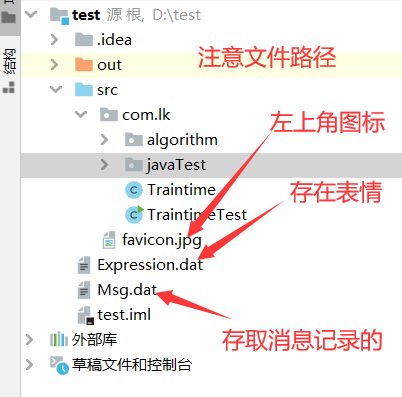
this.setIconImage(new ImageIcon("src./favicon.jpg").getImage());
this.winInit();
this.setVisible(true);
}
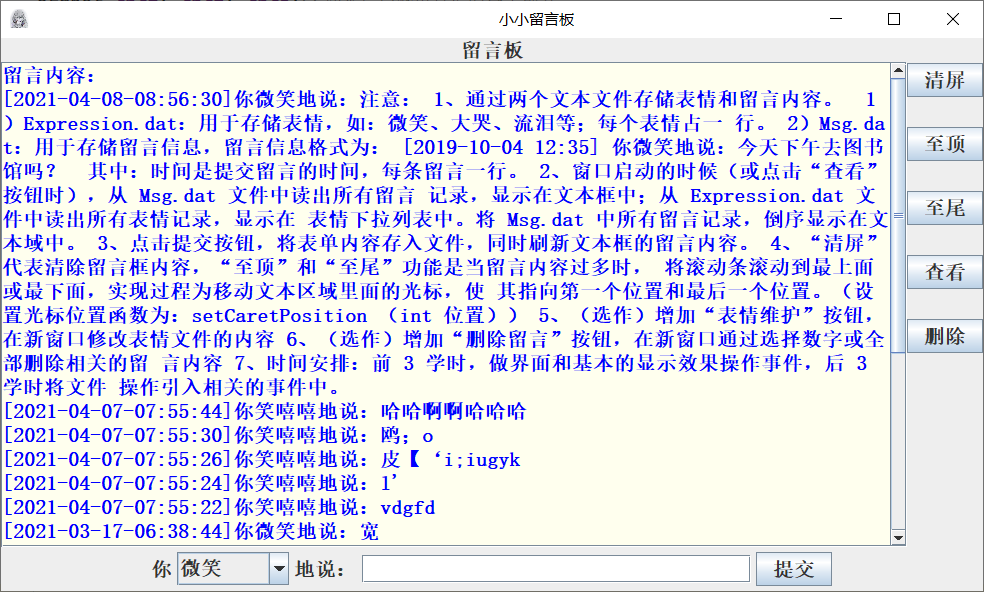
public void winInit() {
lbl1 = new JLabel("留言板", 0);
lbl2 = new JLabel("你");
lbl3 = new JLabel("地说:");
t1 = new JTextArea("留言内容:\n");
t1.setLineWrap(true);
t1.setEditable(false);
t1.setBackground(new Color(0xFF, 0xFF, 0xEE));
t1.setForeground(new Color(0, 0, 255));
lo = new JTextField(35);
looks = new JComboBox();
this.loadExp();
but1 = new JButton("提交");
but2 = new JButton("清屏");
but3 = new JButton("至顶");
but4 = new JButton("至尾");
but5 = new JButton("查看");
but6 = new JButton("删除");
lbl1.setFont(new Font("宋体", Font.BOLD, 20));
lbl2.setFont(new Font("宋体", Font.BOLD, 20));
lbl3.setFont(new Font("宋体", Font.BOLD, 20));
t1.setFont(new Font("宋体", Font.BOLD, 20));
lo.setFont(new Font("宋体", Font.BOLD, 20));
but1.setFont(new Font("宋体", Font.BOLD, 20));
but2.setFont(new Font("宋体", Font.BOLD, 20));
but3.setFont(new Font("宋体", Font.BOLD, 20));
but4.setFont(new Font("宋体", Font.BOLD, 20));
but5.setFont(new Font("宋体", Font.BOLD, 20));
but6.setFont(new Font("宋体", Font.BOLD, 20));
looks.setFont(new Font("宋体", Font.BOLD, 20));
but1.addActionListener(this);
but2.addActionListener(this);
but3.addActionListener(this);
but4.addActionListener(this);
but5.addActionListener(this);
but6.addActionListener(this);
lo.addKeyListener(this);
JPanel pEast = new JPanel();
JPanel pSouth = new JPanel();
JScrollPane scroll = new JScrollPane(t1, ScrollPaneConstants.VERTICAL_SCROLLBAR_ALWAYS,
ScrollPaneConstants.HORIZONTAL_SCROLLBAR_NEVER);
pEast.setLayout(new GridLayout(8, 1, 0, 30));
pSouth.add(lbl2);
pSouth.add(looks);
pSouth.add(lbl3);
pSouth.add(lo);
pSouth.add(but1);
pEast.add(but2);
pEast.add(but3);
pEast.add(but4);
pEast.add(but5);
pEast.add(but6);
add(scroll, "Center");
add(lbl1, "North");
add(pEast, "East");
add(pSouth, "South");
this.loadMsg();
this.addWindowListener(new WindowAdapter() {
public void windowClosing(WindowEvent e) {
System.exit(0);
}
});
}
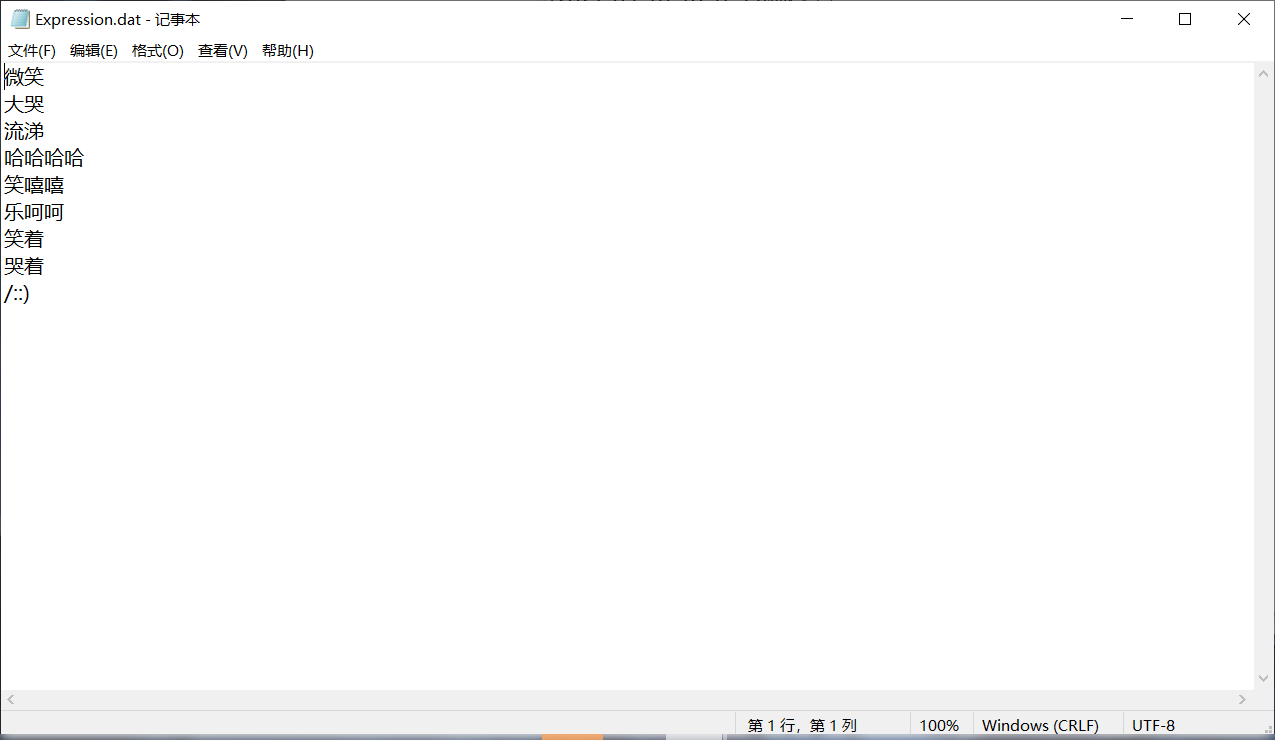
public void loadExp() {
looks.removeAllItems();
try {
FileReader Re = new FileReader("Expression.dat");
BufferedReader br = new BufferedReader(Re);
String exp;
while ((exp = br.readLine()) != null) {
looks.addItem(exp);
}
br.close();
} catch (IOException e1) {
System.out.println("读取文件失败" + e1);
}
}
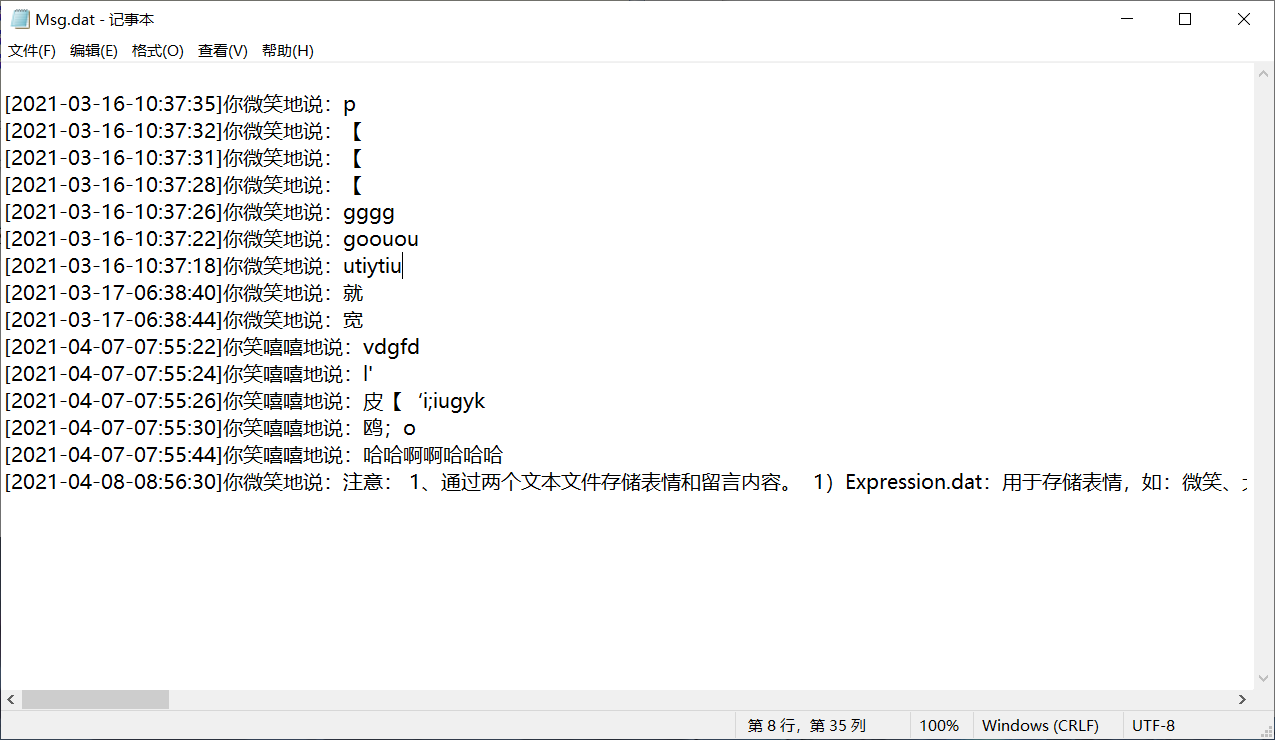
public void loadMsg() {
t1.setText("留言内容:\n");
try {
BufferedReader br = new BufferedReader(new FileReader("msg.dat"));
String msg;
while ((msg = br.readLine()) != null) {
t1.insert(msg + "\n", 6);
}
br.close();
} catch (IOException e1) {
System.out.println("读文件失败" + e1);
}
}
public void msgSubmit() {
if (lo.getText().trim().length() == 0) return;
Date crr = new Date();
SimpleDateFormat sdf = new SimpleDateFormat("yyyy-MM-dd-hh:mm:ss");
String curr = sdf.format(crr);
String loms = "[" + curr + "]" + "你" + looks.getSelectedItem() + "地说:" + lo.getText();
t1.insert(loms + "\n", 6);
File f = new File("Msg.dat");
try {
FileWriter fw = new FileWriter(f, true);
fw.write(loms + "\r\n");
fw.close();
} catch (IOException e1) {
System.out.println("写入文件失败" + e1);
}
lo.setText("");
}
public void delete() {
String lom = " ";
File f = new File("Msg.dat");
try {
FileWriter fw = new FileWriter(f);
fw.write(lom + "\r\n");
fw.close();
} catch (IOException e1) {
System.out.println("写入文件失败" + e1);
}
}
public void actionPerformed(ActionEvent e) {
String com = e.getActionCommand();
switch (com) {
case "提交": {
msgSubmit();
break;
}
case "清屏": {
t1.setText("留言内容:\n");
break;
}
case "至顶": {
t1.setCaretPosition(0);
break;
}
case "至尾": {
t1.setCaretPosition(t1.getText().length() - 1);
break;
}
case "查看": {
this.loadMsg();
break;
}
case "删除": {
this.delete();
break;
}
}
}
@Override
public void keyTyped(KeyEvent e) {
}
@Override
public void keyPressed(KeyEvent e) {
if (e.getKeyCode() == 10) {
msgSubmit();
}
}
@Override
public void keyReleased(KeyEvent e) {
}
}
|


 )
)